Observação
Este artigo aplica-se à edição de consultorias no nível do repositório como proprietário de um repositório público.
Os usuários que não são proprietários do repositório podem contribuir com consultorias de segurança global no GitHub Advisory Database em github.com/advisories. As edições nas consultorias globais não mudarão ou afetarão a forma como a consultoria aparece no repositório. Para saber mais, confira Editing security advisories in the GitHub Advisory Database.
Prerequisites
Before you can collaborate in a temporary private fork, you must create a draft security advisory. For more information, see Creating a repository security advisory.
Creating a temporary private fork
To keep information about vulnerabilities secure, integrations, including CI, cannot access temporary private forks.
-
Em GitHub, acesse a página principal do repositório.
-
Abaixo do nome do repositório, clique em Security. Caso não consiga ver a guia "Security", selecione o menu suspenso e clique em Security.

-
Na barra lateral esquerda, em "Reporting", clique em Advisories.
-
In the "Security Advisories" list, click the name of the security advisory you'd like to create a temporary private fork in.
-
Scroll to the bottom of the advisory form and click Start a temporary private fork.

A private fork of the repository is created and shown on the advisory page.
The naming convention for the private fork is very similar to the convention used for advisories in the GitHub Advisory Database and follows this format:
repo-ghsa-xxxx-xxxx-xxxx, where:repois the name of the repository. To stay under the 100 character limit on repository names, we truncate the original repository's name to 80 characters.xxxx-xxxx-xxxxis the unique identifier of the draft security advisory:xis a letter or a number from the following set:23456789cfghjmpqrvwx.- The numbers and letters are randomly assigned.
- All letters and numbers are lowercase.


For example, if you create a temporary private fork in a repository called octocat-repo, and the automatically generated ID for the draft advisory is GHSA-x854-cvjg-vx26, the temporary fork will be called octocat-repo-ghsa-x854-cvjg-vx26.
You can also use the REST API to create temporary private forks. For more information, see Create a temporary private fork in the REST API documentation.
Adding collaborators to a temporary private fork
Anyone with admin permissions to a security advisory can add additional collaborators to the security advisory, and collaborators on the security advisory can access the temporary private fork. For more information, see Adding a collaborator to a repository security advisory.
Adding changes to a temporary private fork
Anyone with write permissions to a security advisory can collaborate on a patch by committing changes to a temporary private fork.
-
Em GitHub, acesse a página principal do repositório.
-
Abaixo do nome do repositório, clique em Security. Caso não consiga ver a guia "Security", selecione o menu suspenso e clique em Security.
-
Na barra lateral esquerda, em "Reporting", clique em Advisories.
-
In the "Security Advisories" list, click the name of the security advisory you'd like to work on.
-
You can make your changes on GitHub or locally:
- To make your changes on GitHub, under "Collaborate on a patch", click the temporary private fork. Then, create a new branch and edit files. For more information, see Criar e excluir branches no repositório and Editando arquivos.
- To add changes locally, follow the instructions under "Clone and create a new branch" and "Make your changes, then push."
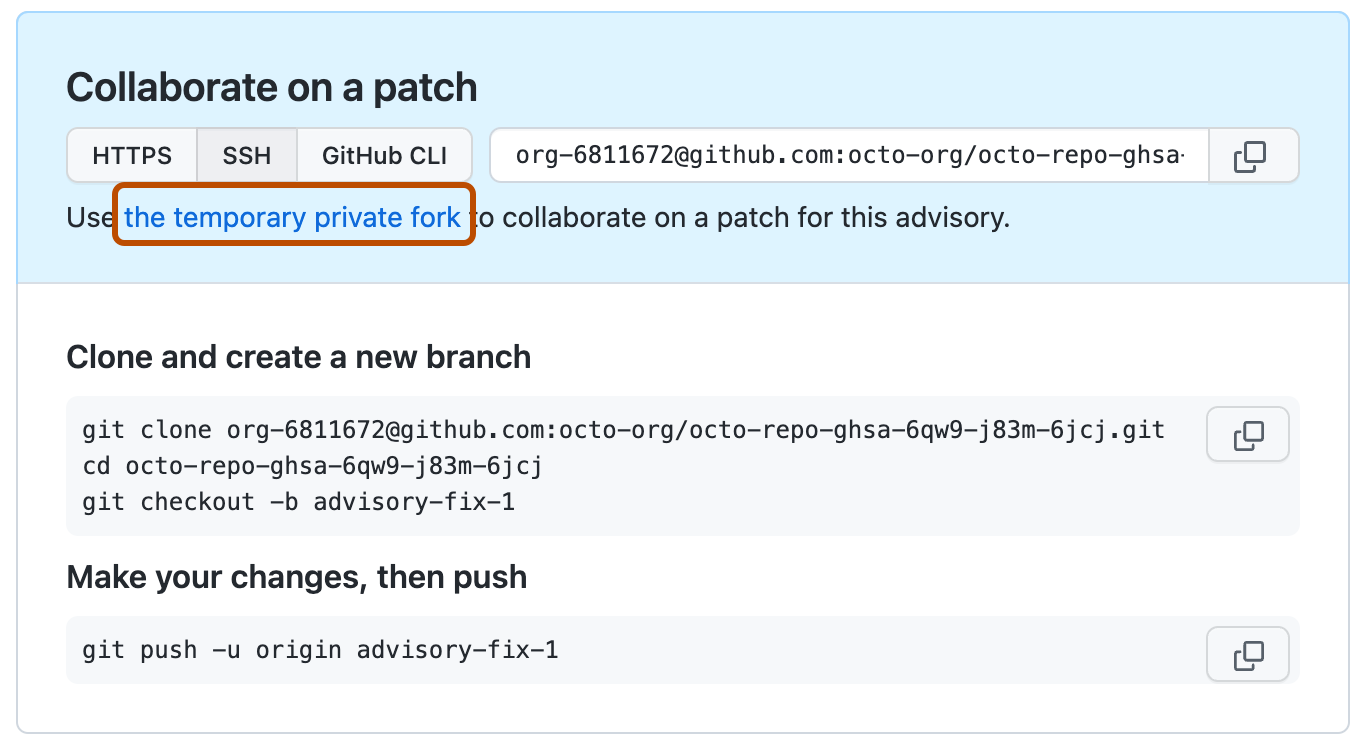

Creating a pull request from a temporary private fork
Anyone with write permissions to a security advisory can create a pull request from a temporary private fork.
-
Em GitHub, acesse a página principal do repositório.
-
Abaixo do nome do repositório, clique em Security. Caso não consiga ver a guia "Security", selecione o menu suspenso e clique em Security.
-
Na barra lateral esquerda, em "Reporting", clique em Advisories.
-
In the "Security Advisories" list, click the name of the security advisory you'd like to create a pull request in.
-
Scroll to the bottom of the advisory form. Then, under "Collaborate on a patch", click Compare & pull request to create a pull request for the associated branch.
The "Open a pull request" includes a header showing the branches that will be compared in a three-dot Git diff comparison when the pull request is created. For more information, see Sobre como comparar branches nas pull requests.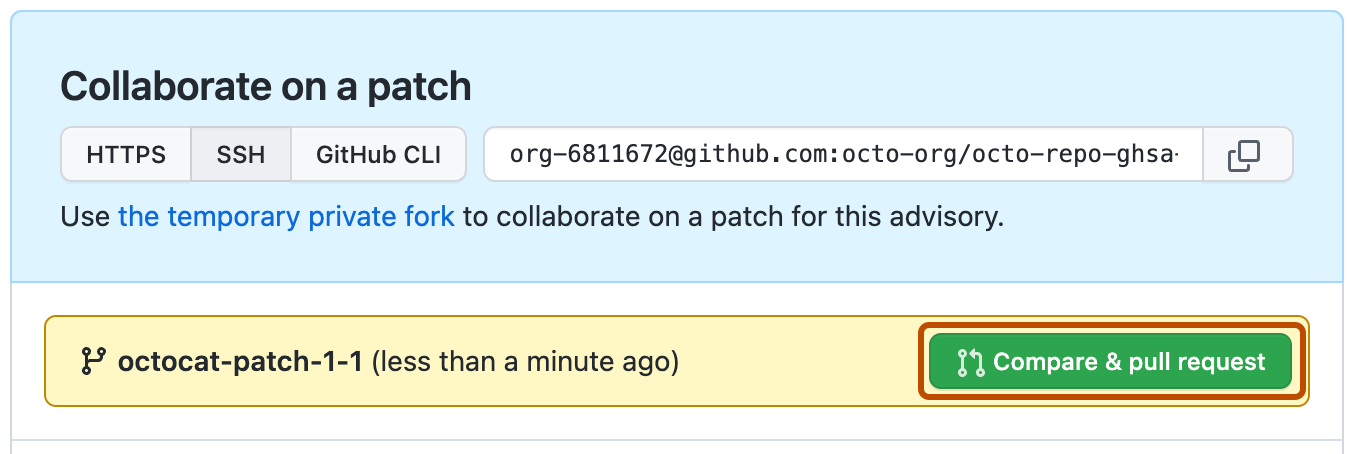
-
Para criar uma solicitação de pull pronta para revisão, clique em Criar Solicitação de Pull. Para criar uma solicitação de pull de rascunho, use o manu suspenso, selecione Criar Solicitação de Pull de Rascunho e clique em Solicitação de Pull de Rascunho. Se você for membro de uma organização, talvez seja necessário solicitar acesso a pull requests de rascunho a um proprietário da organização. Confira Sobre solicitação de pull.

Você não pode realizar o merge de pull requests individuais em uma bifurcação privada temporária. Em vez disso, você pode fazer merge de todos os pull requests abertos de uma vez, na consultoria de segurança correspondente. For more information, see Merging changes in a security advisory.
Merging changes in a security advisory
Anyone with admin permissions to a security advisory can merge changes in a security advisory.
Você não pode realizar o merge de pull requests individuais em uma bifurcação privada temporária. Em vez disso, você pode fazer merge de todos os pull requests abertos de uma vez, na consultoria de segurança correspondente.
Before you can merge changes in a security advisory, every open pull request in the temporary private fork must be mergeable. To keep information about vulnerabilities secure, status checks do not run on pull requests in temporary private forks. For more information, see Sobre branches protegidos.
Additionally, there can be no merge conflicts, and GitHub won't enforce any of the protection rules that you may have set up for the branch you're trying to merge the changes in to.
- Em GitHub, acesse a página principal do repositório.
- Abaixo do nome do repositório, clique em Security. Caso não consiga ver a guia "Security", selecione o menu suspenso e clique em Security.
- Na barra lateral esquerda, em "Reporting", clique em Advisories.
- In the "Security Advisories" list, click the name of the security advisory with changes that you'd like to merge.
- Scroll to the bottom of the advisory form. Then, under "This advisory is ready to be merged", click Merge pull request(s) to merge all open pull requests in the temporary private fork.

Observação
You can only merge one pull request into the main branch of a temporary private fork. If more than one pull request targets the main branch, merging is blocked.
After you merge changes in a security advisory, you can publish the security advisory to alert your community about the security vulnerability in previous versions of your project. For more information, see Publishing a repository security advisory.